Works in VBA (Excel, Access, Word, Outlook, PowerPoint, Visio, Project), VB6, VB.NET, C#, C++, Delphi, Python, PowerShell, AutoIt — and any COM host.
The WebView2 ActiveX Control for Access and Excel VBA
If you’ve tried to embed a web component in Access or Excel before and hit a wall, this removes it. The default browser control simply wasn’t built for TinyMCE, AG Grid, Chart.js, or PDF.js — LiteView2 was.
Embed TinyMCE, AG Grid, Chart.js, PDF.js, and any HTML5 component directly into Access forms and Excel UserForms — using VBA you already know. 270+ methods · 63 events · Reg-free deployment.
- TinyMCE, AG Grid, Chart.js, PDF.js — any web component
- Access forms and Excel UserForms
- 270+ VBA methods · 63 events · Reg-free deployment
30 days · No credit card · No registration required · 32-bit & 64-bit
Push ADO data, register VBA callbacks, preview Office docs — a complete VBA application platform. View API Reference →
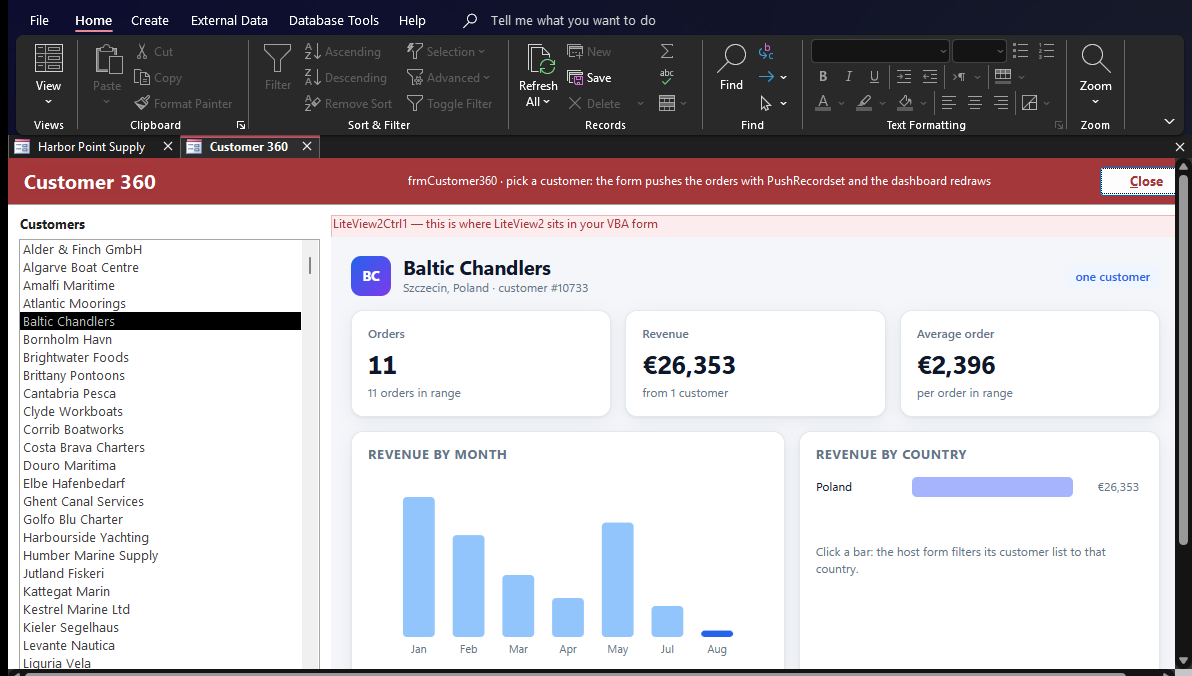
See it, then see how
A Live Report, Not a Static Export
This is what running inside Microsoft Access actually looks like — and the VBA behind it.
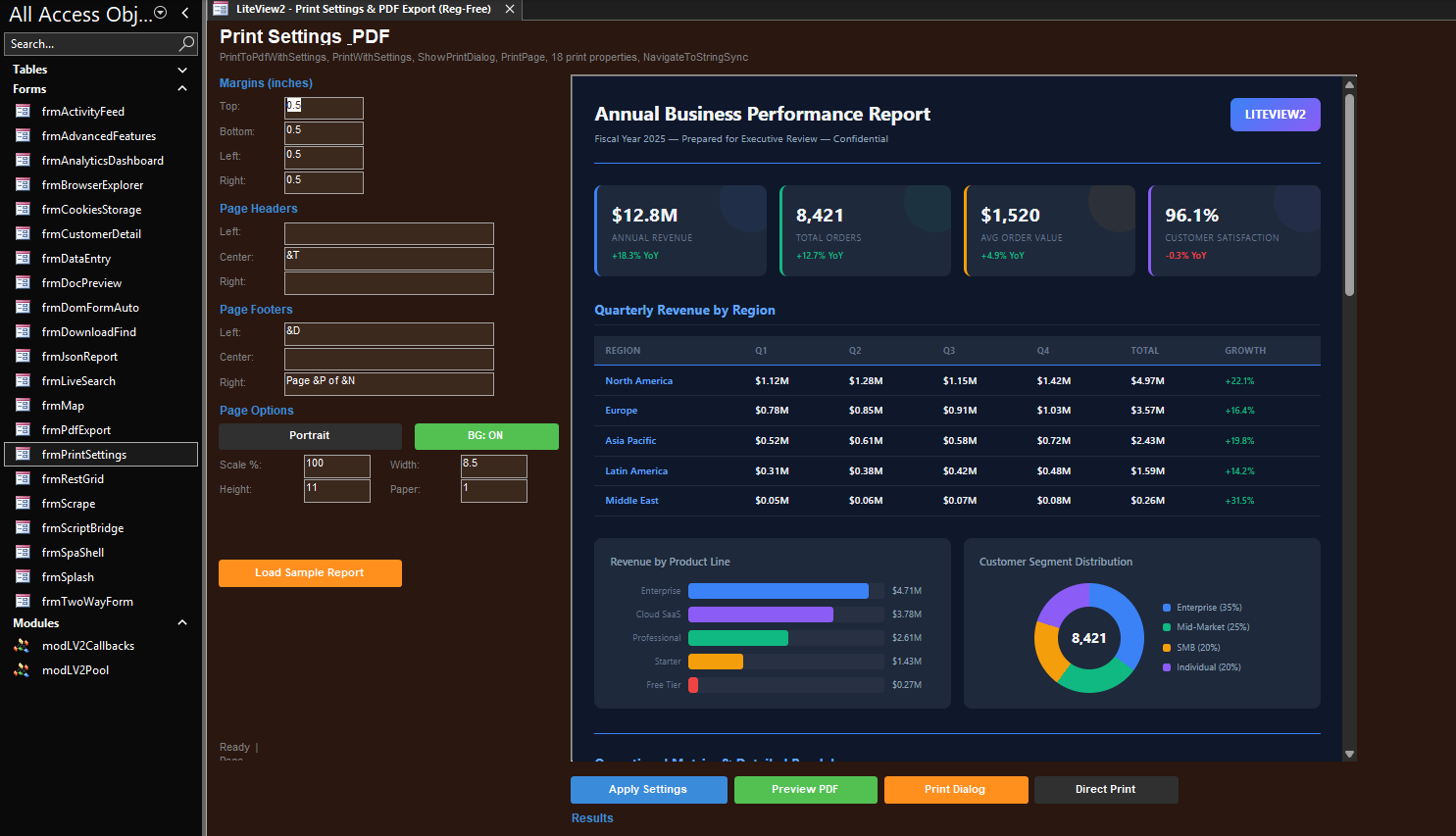
How it gets there
Dim rs As DAO.Recordset
Set rs = db.OpenRecordset("SELECT Category, SUM(Amount) AS Total " & _
                          "FROM tblSales GROUP BY Category", dbOpenSnapshot)
rs.MoveLast : rs.MoveFirst          ' materialise all rows
m_lv.PushRecordset rs, "onSalesData"
The Recordset-to-JavaScript plumbing is already handled — PushRecordset is one call, not a serializer you write yourself.
Both directions, not just one
JavaScript and VBA Talk to Each Other
VBA can call straight into the page. The page can call back into VBA on its own, whenever the user does something — not only in response to a VBA request.
' Call straight into the page — no injected string parsing
m_lv.ExecuteScript "highlightRow(" & Me.txtRowId.Value & ");"// The page reports back on its own — no polling
window.chrome.webview.postMessage(
JSON.stringify({ action: 'confirmed', rowId: currentRow })
);Private Sub m_lv_WebMessageReceived(ByVal message As String, ByVal source As String)
' Handle it right here — since 1.0.1.0 this event runs after WebView2's own callback
If m_lv.JsonGetValue(message, "action") = "confirmed" Then Me.txtStatus.Value = "Confirmed"
End SubWait, that’s built in?
Nine Things Most Developers Don’t Expect
270+ documented methods and 63 documented events sit behind the API reference. These are the ones worth knowing about before you need them.
PushRecordset
An ADO or DAO Recordset becomes a JSON array in the page with one call. No hand-rolled field-looping, no string-escaping.
Native JSON engine
A real parser, not string-splitting — including a compiled-path mode built for tight loops. No external library required.
VBA ↔ JavaScript bridge
Call VBA from JavaScript with AddHostObjectToScript. Call JavaScript from VBA directly — no polling, no injected strings.
DOM helpers
GetElementValueById, SetInnerHtmlById, WaitForElement — read or write a page field in one line.
Registration-free deployment
Copy two files next to the database. No regsvr32, no admin rights, no COM registration.
Print & PDF, one call
PrintToPdf renders a template straight to a file — no third-party library, no Acrobat shell-out.
Bridge Inspector
A live HUD showing every JS↔VBA message as it happens — toggle it with ToggleBridgeInspector when the bridge goes quiet.
Event-driven ready state
SetReadyCallback fires once, when the browser is actually ready — no Form_Timer polling loop to write.
A full browser underneath
Cookies, downloads, isolated profiles, screenshot capture — the rest of a real browser, still scriptable from VBA.
What you’ll probably build first
Any Web Component. Inside Your Existing VBA Application.
LiteView2 embeds a full Chromium browser inside Access forms and Excel UserForms. Any HTML5 component you can run in a browser, you can run inside your application.
The case-notes field everyone pastes formatted text into and watches break
Embed TinyMCE or Quill into Access forms. Get formatted text back in VBA with one method call.
The KPI screen your manager checks every Monday
Build Chart.js or Highcharts dashboards fed by Access tables or Excel ranges — live, not a Friday export.
The order browser your team says is too slow
Drop AG Grid into a UserForm. Sort, filter, and paginate thousands of rows without a repaint delay.
The contract your client asks to see mid-call
Embed PDF.js to display documents inside Access and Excel. No Acrobat dependency, no window stealing focus.
The support questions your team answers the same way every time
Host a chat interface inside a VBA form. Pass VBA data to the chat context.
The delivery list nobody can picture without a map
Embed Leaflet or Google Maps. Highlight addresses from your Access tables on the map.
The invoice that still looks like it’s from 2009
Render HTML5 reports and invoices inside your application with print-to-PDF built in.
The UserForm new hires ask if it’s actually finished
Replace dated UserForms with polished HTML5 form UIs that write back to VBA.
See it running
Real Screens From the LiteView2 Showcase
The LiteView2 Showcase is a small order desk for a fictional marine supplier, written the way a VBA developer would write it, with LiteView2 inside every form. These screens were captured from it — download it and click through it yourself.
The 9-minute walkthrough goes through every demo in the Showcase, with the Access, Excel and VB6 views. Watch it on YouTube.
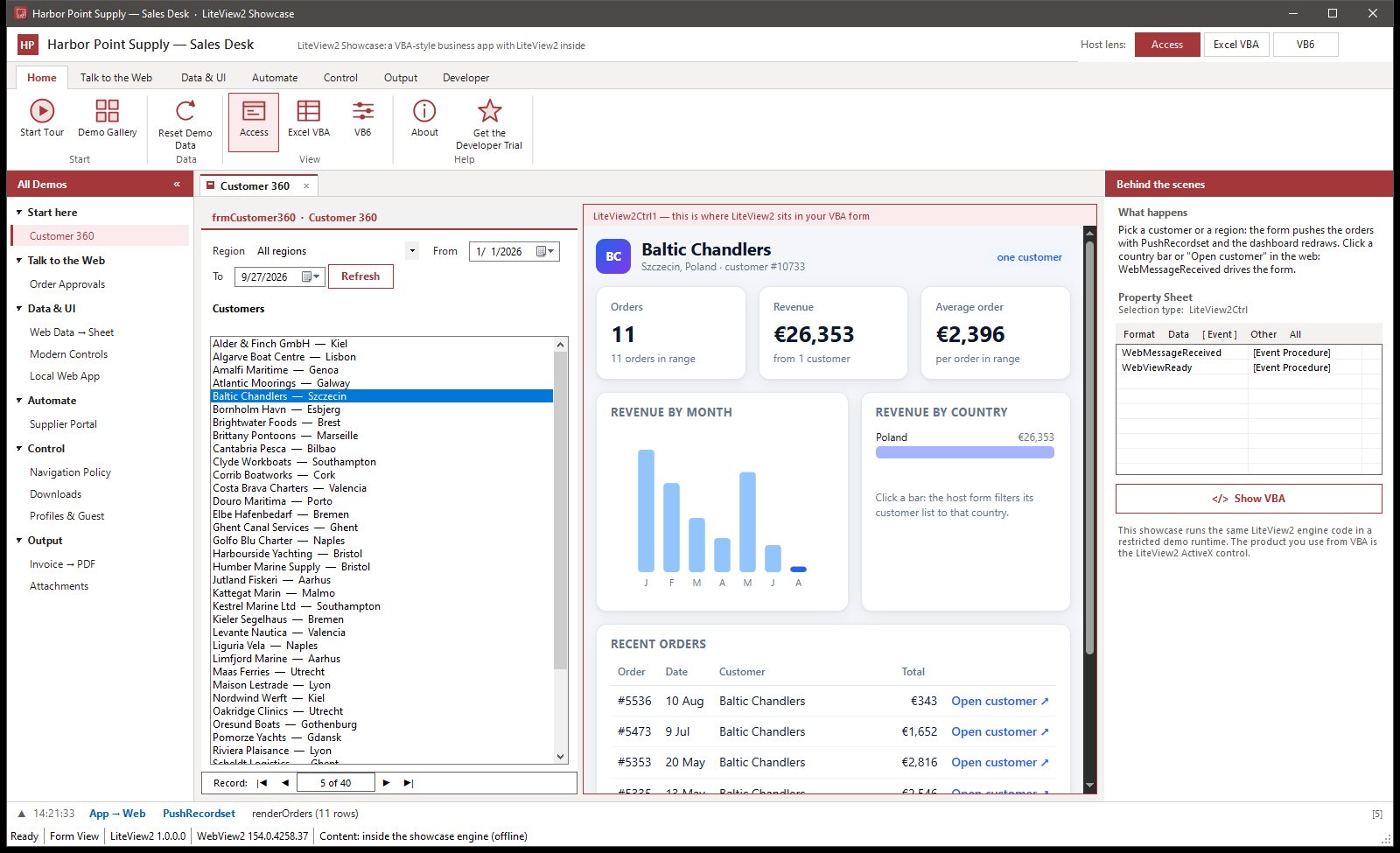
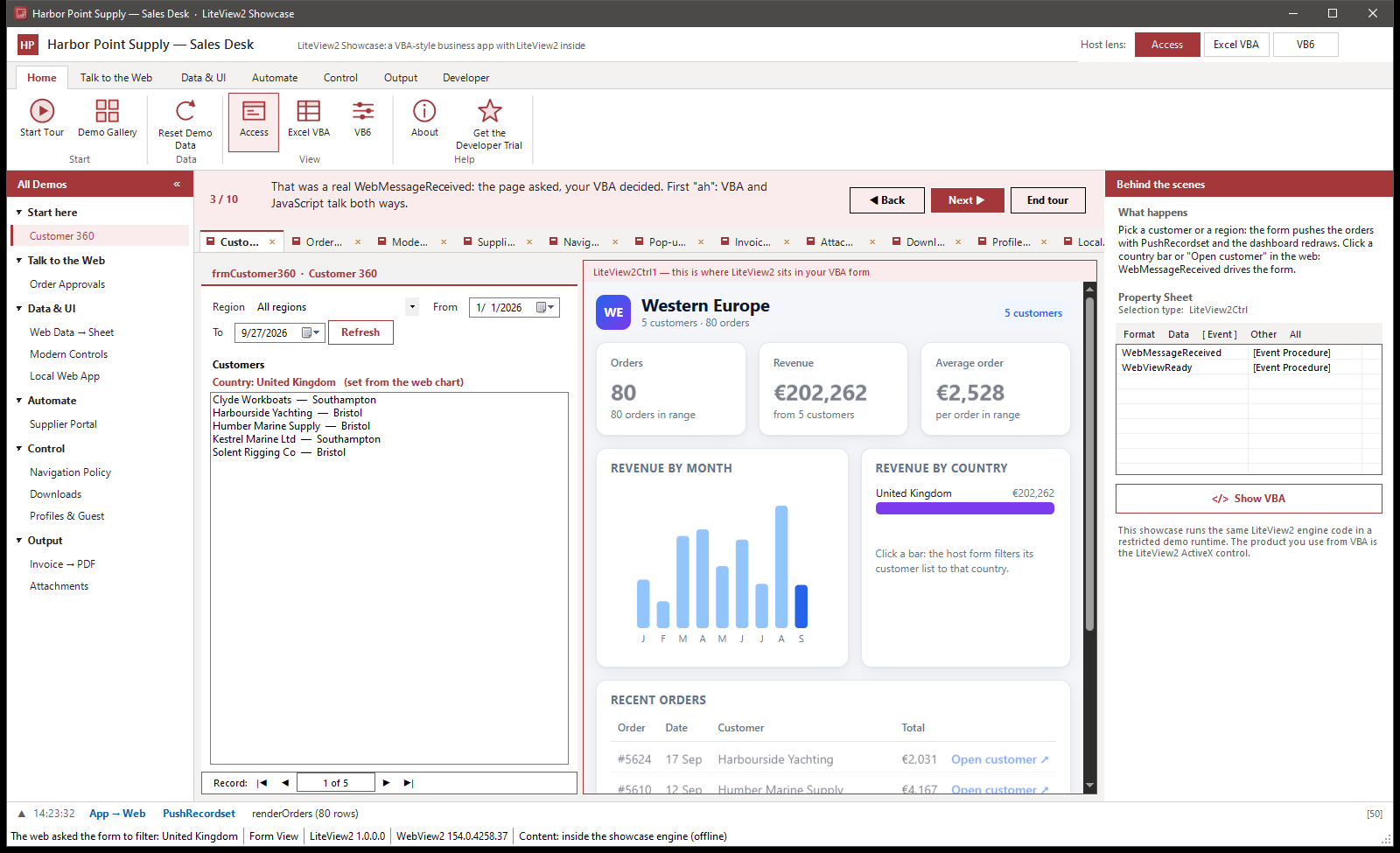
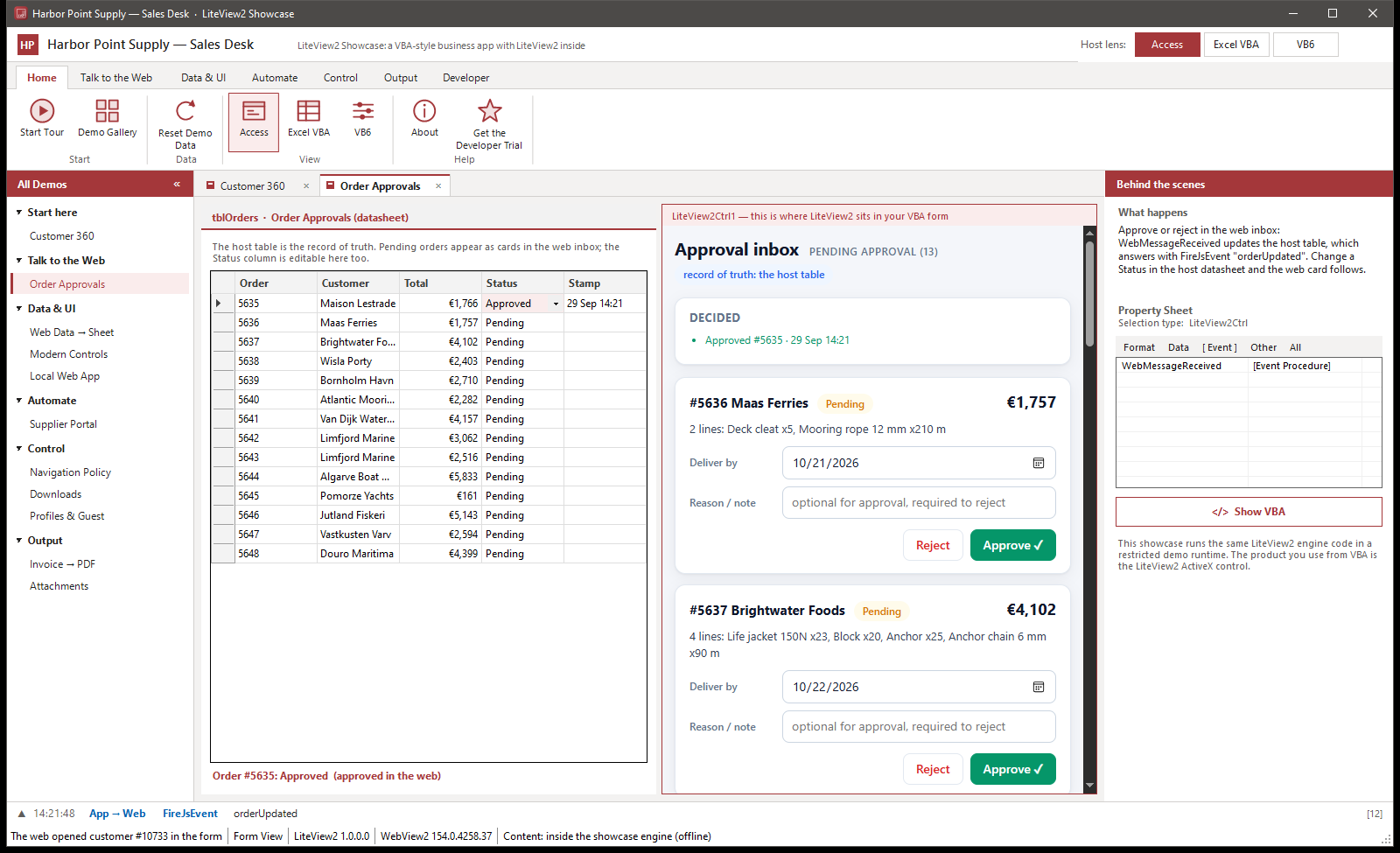
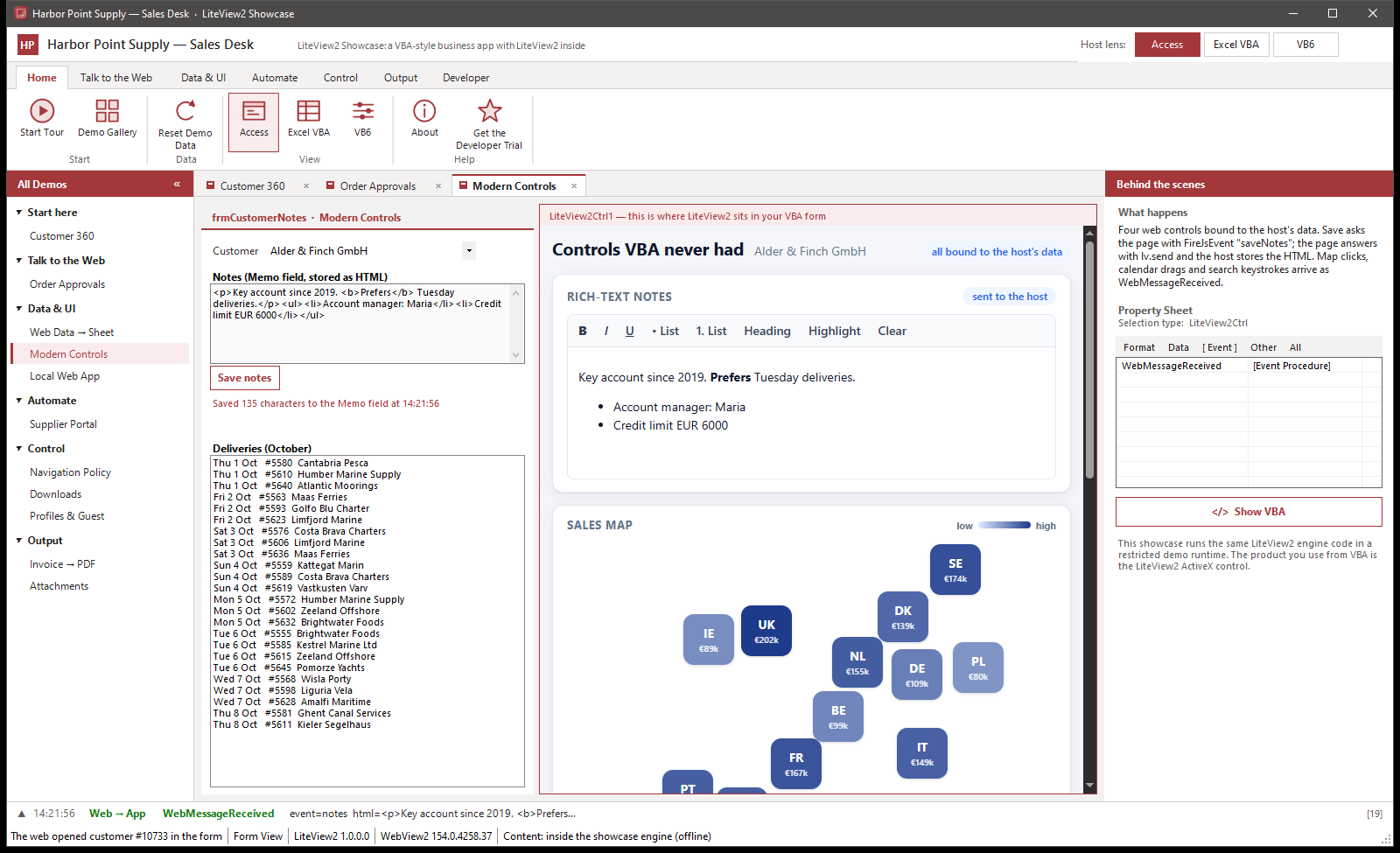
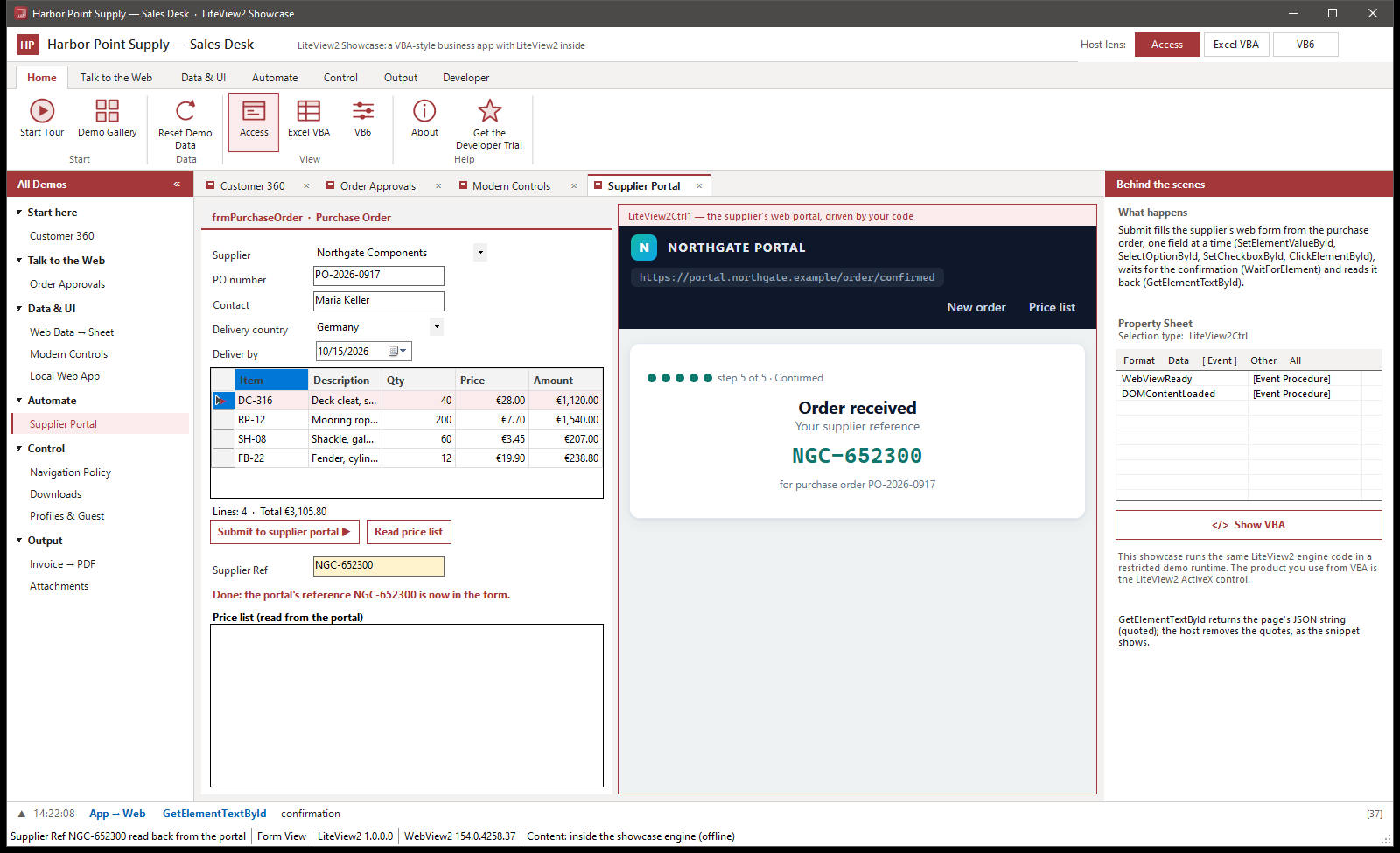
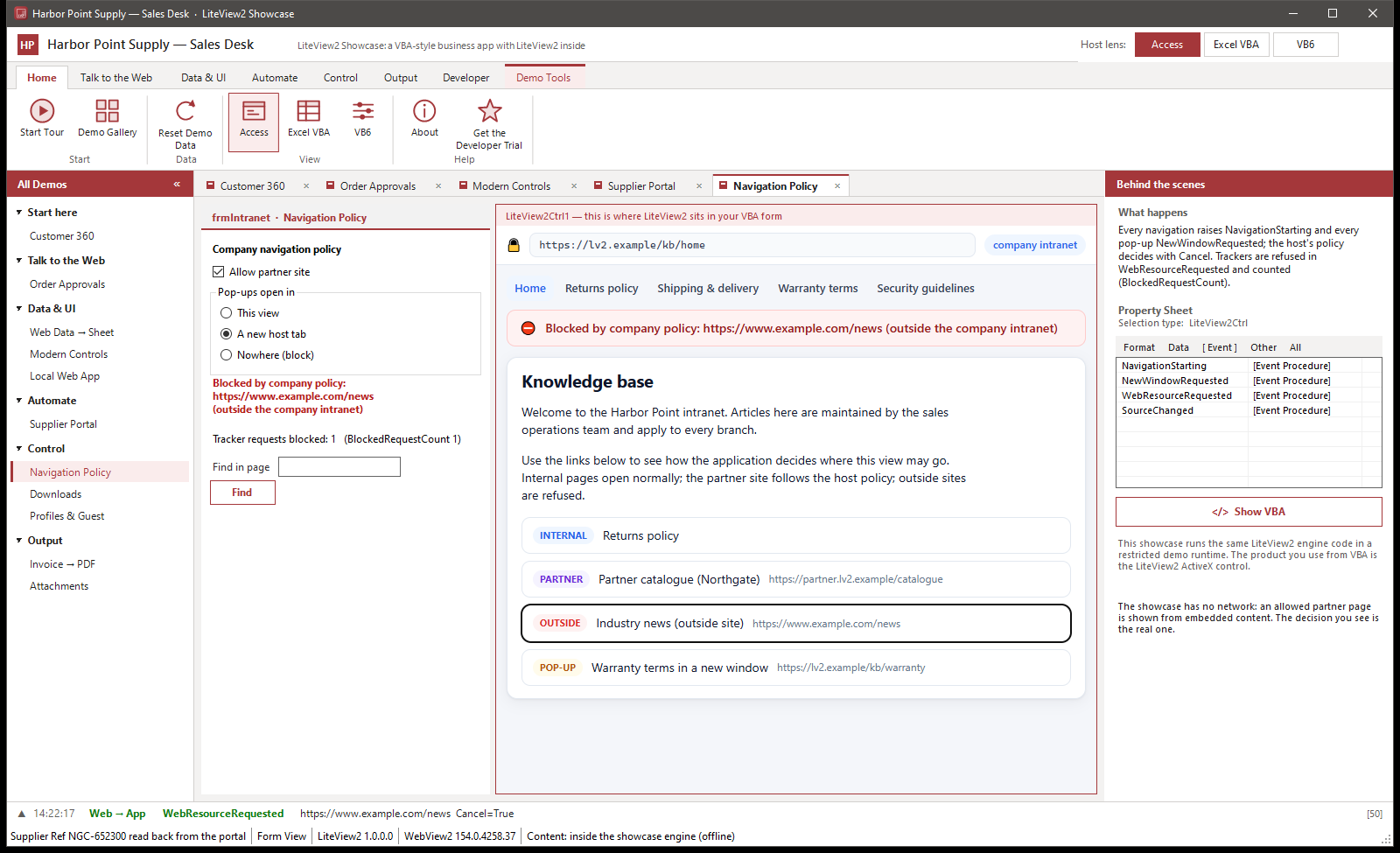
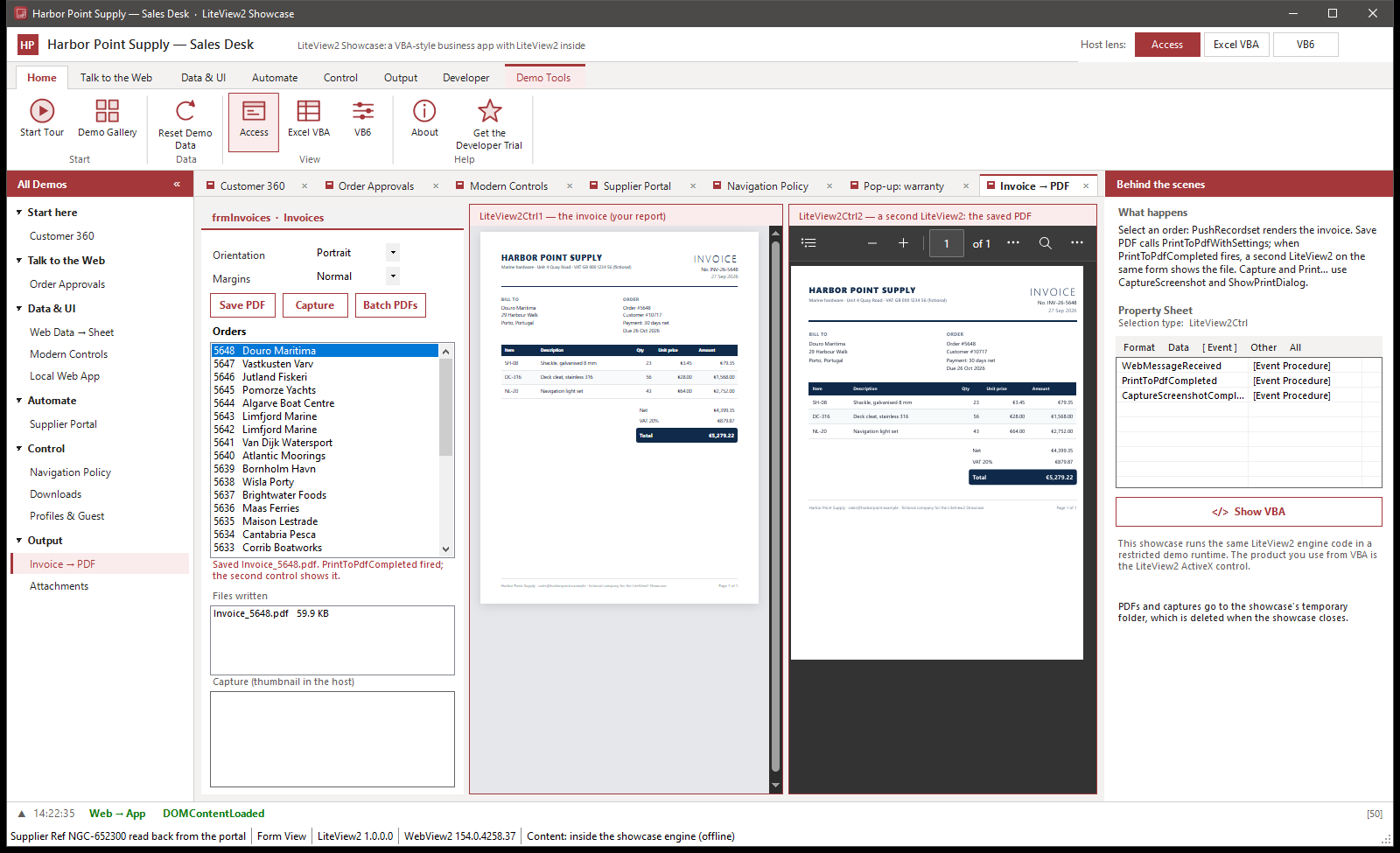
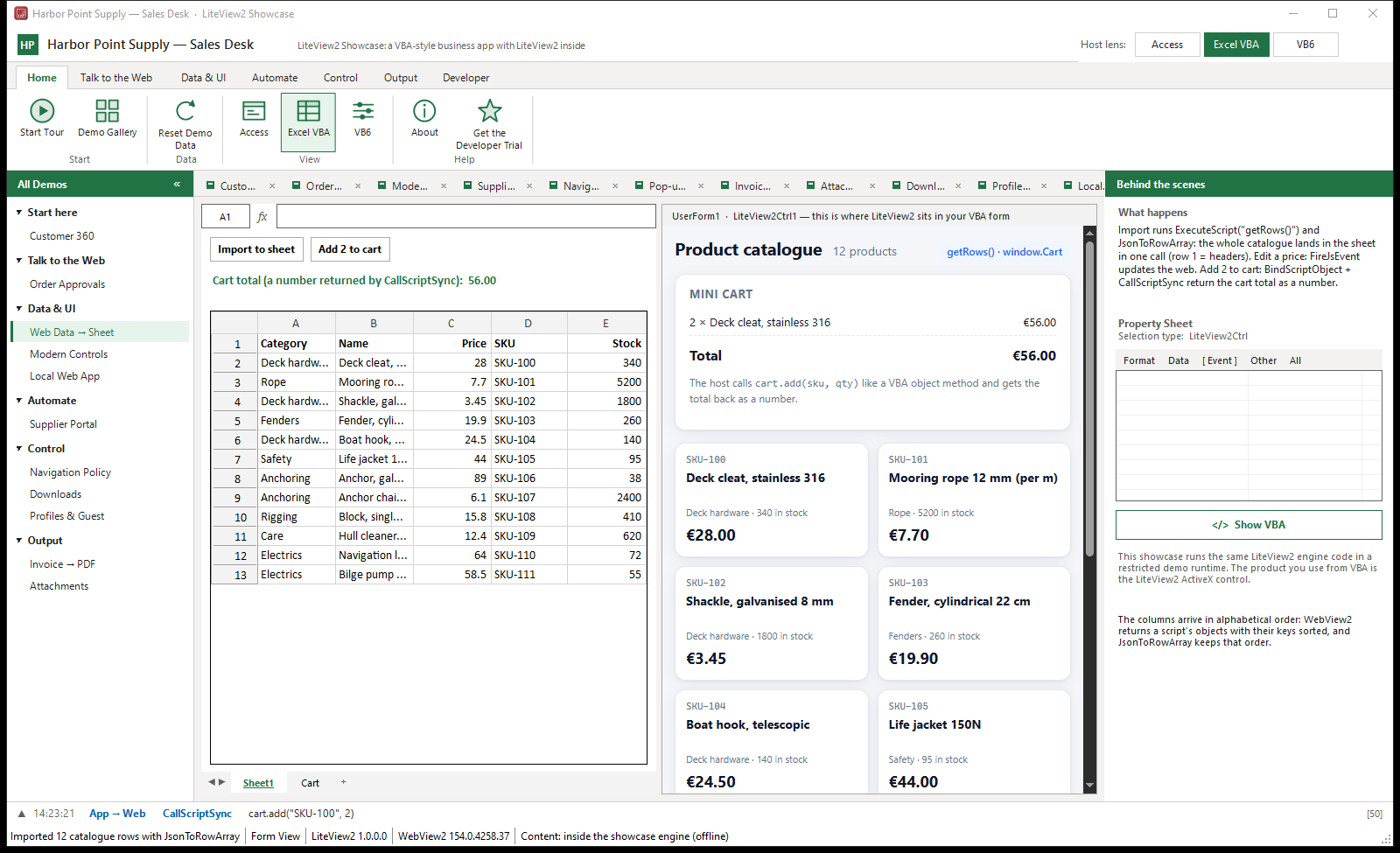
Harbor Point Supply and every name, order and figure in these screens are fictional. The Showcase runs the LiteView2 engine code in a restricted demo runtime; the product you use from VBA is the LiteView2 ActiveX control.
Run the Showcase on your own PC
Click through the same order desk yourself. Show VBA on every screen opens the code for Access, Excel or VB6, and the event strip shows each call and event as it crosses between your code and the web page.
Windows 10 or 11, 64-bit • one EXE in a zip (0.8 MB), no installation
Installs nothing and registers nothing; it keeps only its own browser data. Works offline: every page is inside the EXE, and its browser has no network access. It does not touch a LiteView2 trial or licence on your PC. It needs the Microsoft Edge WebView2 Runtime, which current Windows 10 and 11 already include.

In 2024 a client asked for a dashboard inside an Access application that supported their entire field operation. The legacy WebBrowser control couldn’t render it; the Edge Browser Control couldn’t execute JavaScript with a return value or print to PDF. LiteView2 is what got built instead.
Your Access application already knows your business — the queries, the edge cases, the workflow nobody wrote down. LiteView2 doesn’t ask you to give that up. It’s a way to make what already works look like it was built this year — and to offer that as an upgrade to a client who’s still running the version from a few years ago.
Comparing LiteView2 to other options first? Read the 2026 Buyer’s Guide. Curious what a modernization engagement looks like? See Integration Services.
No credit card • Full-feature 30-day trial
The gap
The Only WebView2 ActiveX OCX Control Built for VBA Developers
LiteView2 is not just a WebView2 wrapper.
It is a VBA application platform built on top of WebView2.
This Is the Gap You’re Working With
This is the gap LiteView2 was built to close.
See it in code
What Becomes Possible
Read a field, fill in another and click a button with typed VBA calls, instead of building JavaScript strings.
' Read a field, write to another, click submit
' Direct VBA calls — no JS injection, no polling

email = lv.GetElementValueById(idx, "user-email")
lv.SetElementValueById idx, "confirm-email", email
lv.ClickElementById idx, "btn-submit"Real cost
The Same Feature, Two Ways
The same feature. The same developer. The difference is the control.
- Build each page interaction as a JavaScript string
- Escape quotes in values by hand before injecting them
- Parse JSON results yourself — no built-in JSON helper
- List trusted domains to allow links and redirects away from the start page
- Needs Access for Microsoft 365 or Access 2024
GetElementValueById— read any field, synchronous, no JS- No timers, no polling — direct VBA call returns immediately
- No string escaping — SetElementValueById handles it natively
CreateObject("LiteView2.Json")— path syntax, typed returns- SetLocalContentRoot + Navigate — no domain config required
- Copy OCX next to .accdb — runs on Windows 10 and 11 with the WebView2 Runtime
Why Not Just Use The Microsoft Edge Browser Control?
The Microsoft Edge Browser Control proves that WebView2 can run inside VBA. LiteView2 focuses on what comes next:
- DOM helpers — read and write form fields from VBA
- JSON support — parse and query responses natively
- VBA-friendly APIs — 270+ methods vs 4
- Bidirectional JavaScript messaging
- 63 events vs 3 — full production event coverage
- Registration-free deployment — no admin, no IT
- Works in Excel, Word, VB6 — not just Access
- Access and Excel-focused examples and docs
Instead of starting from a low-level browser surface, LiteView2 provides the tooling VBA developers need to build real applications.
IE WebBrowser vs Access Edge Browser Control (Microsoft) vs LiteView2
Microsoft’s built-in Edge Browser Control solves rendering. LiteView2 solves development. See the dedicated comparison page with citations to Microsoft’s own documentation.
| Feature | IE WebBrowser | Access Edge Browser Control (Microsoft) | LiteView2 |
|---|---|---|---|
| Modern HTML5 & CSS3 | Limited | ✓ | ✓ |
| Browser methods (VBA) | Many (via .Object) | 4 only | 270+ |
| Browser events (VBA) | Many | 3 | 63 |
| DOM access from VBA | ✓ MSHTML | ✗ | ✓ 28 helpers |
| JS → VBA communication | ✗ | ✗ no WebMessage | ✓ |
| JS return values / callbacks | Limited | Values as strings; no callbacks | ✓ |
| Navigation lifecycle hooks | ✓ | 3 events | ✓ |
| Network & request interception | ✗ | ✗ | ✓ |
| DevTools / CDP access | ✗ | DevTools (Inspect) | ✓ |
| Built-in JSON engine | ✗ | ✗ | ✓ |
| Download management | ✗ | ✗ | ✓ |
| PrintToPdf | ✗ | ✗ | ✓ |
| Screenshot capture | ✗ | ✗ | ✓ |
| Profile / session isolation | ✗ | ✗ | ✓ |
| Cookie & cache control | ✓ | ✗ | ✓ |
| Proxy support | Limited | ✗ | ✓ |
| Works in Excel / Word / VB6 | ✓ | ✗ Access-only | ✓ |
| Registration-free deployment | Built into Windows | Built into Access | ✓ |
| Trusted Domains list needed | No | For links and redirects away from the start page | No (optional) |
| Requirements | Windows | Access for Microsoft 365 or Access 2024 | Windows 10/11 + WebView2 Runtime |
Zero IT friction
Deploys From Any Folder. No IT Ticket Required.
If you build Access or Excel applications for corporate environments, you already know the pain: users can’t install software. IT won’t approve the request for weeks. The vendor-signed form takes longer than the feature.
LiteView2 doesn’t need any of that. Copy the two OCX files next to your .accdb or .xlsm. Paste 8 lines of bootstrap VBA. It runs — without COM registration, without regsvr32, without an installer, without asking anyone for permission.
This alone justifies the switch. The Edge Browser Control needs Access for Microsoft 365 or Access 2024. LiteView2 needs only the WebView2 Runtime, which Windows 11 includes and Microsoft has installed on eligible Windows 10 devices.
This is why LiteView2 works in environments where other solutions never even get approved.
- Works in locked-down corporate Windows environments
- No Group Policy exceptions needed
- No COM registration
- No User Account Control prompts
- Ships as part of your database file — just copy and open
How it works — 3 steps:
- Copy
LiteView2_x64.ocxnext to your.accdbfile - Paste the Setup Module into your project (one time per database)
- Call
GetPool().CreateInControl("url", Me.Frame1)on any form
How Deployment Works
Copy LiteView2 files with your project
Place the OCX next to your .accdb or .xlsm file.
Add the bootstrap module
A small VBA module activates the OCX for registration-free use.
Run inside Excel or Access
Create browsers, navigate, execute JavaScript — all from VBA.
No installation. No admin rights required.
Two Ways to Deploy. Zero Headaches.
Most VBA controls require admin rights and registry entries. LiteView2 works without either — but supports both models when you need them.
Recommended
Registration-Free Mode
Drop the OCX file next to your application. No regsvr32, no admin rights, no COM registration. Your app runs on any machine with the WebView2 Runtime.
Download liteview2-regfree.zip — the two controls and the bootstrap module, nothing else. These are the files you redistribute with your own application.
How it works: Add a small bootstrap module that calls two functions from the OCX — one to set the folder path, one to activate the control. After that, create browsers and use them from any form. Everything is handled internally — no manual configuration needed.
- No COM registration required
- No administrator permissions needed
- XCopy / USB / network share deployment
- Multiple versions can coexist on one machine
- Perfect for consultants distributing to clients
Ideal for: portable apps, client distributions, locked-down corporate machines, USB deployment
Traditional
Registered (COM) Mode
Run the installer once. It registers both the 32-bit and 64-bit controls, so the same machine works with either Office bitness and with VB6, and it adds a normal Settings → Apps entry that removes cleanly. Early binding and IntelliSense in the VBA editor.
- System-wide registration for all applications
- Full IntelliSense and early binding in VBA
- Centralized IT deployment via Group Policy
- Familiar workflow for Windows sysadmins
- Type library (.tlb) included for IDE support
Ideal for: enterprise IT rollouts, centrally managed environments, developers who prefer IntelliSense
Built for performance and stability — not a wrapper or shim. Every method is a production-grade implementation with full error handling, designed specifically for VBA developers.
Created by Muhammad Imran — a developer who builds production Access and Excel applications for enterprise clients and needed a real WebView2 control that didn’t exist.
No credit card • Runs on any Windows 10/11 machine
Before you scroll past
- Works in 32-bit & 64-bit
- No installation required
- No admin rights
- No COM registration
- WebView2 Runtime in Windows 11 and eligible Windows 10
- 30-day trial — full functionality, nothing locked
- Access, Excel, Word, PowerPoint, VB6
- Invoice & Payoneer billing available
Downloads
Current version 1.0.1.0 · released 9 October 2026 · What’s new · Release notes and checksums
Three packages. Which one you want depends on what you are doing today — trying it out, installing it on this machine, or shipping it inside your own application.
Start here
Free 30-day trial
The control plus working Access demos and sample databases. Full functionality, nothing locked. No key needed — the trial starts itself the first time it runs.
Registered Mode
Installer
Installs and registers both the 32-bit and 64-bit controls in one go, so the same machine works with either Office bitness and with VB6. Adds a normal Settings → Apps entry and removes cleanly. Needs administrator rights once.
Redistribute
Registration-free files
The two controls and the bootstrap module, nothing else. These are the files you ship beside your own .accdb or .xlsm — no installer, no admin rights, and nothing written to the registry on your customers' machines.
Already a customer? Close Access, Excel, Word and the VB6 IDE, then run the latest installer: it updates the version you have in one step and keeps your license key and settings. Reg-Free deployments replace the two .ocx files. How to update
Step-by-step setup for both modes is in the 5-minute quickstart.
Want to see it working before you install anything? Run the LiteView2 Showcase — one EXE, nothing to install.
Want a complete Access application to open and read? Download Customer Desk — 25,000 fictional accounts in Access, a modern web page as its screen, and the VBA that joins them. Registration-free, nothing to install; it runs on the 30-day trial (15.6 MB zip, needs Microsoft Access 2016 or later).
A shelved project, unblocked
A UK integration consultancy used LiteView2 to ship a project they’d shelved.
“I’ve spent a lot of time putting the LiteView2 trial through its paces, and it quickly became clear that it does exactly what I need. It enabled me to move forward with a project I’d shelved because of the WebView2 limitation, removing the need to pursue a C implementation. That’s why I had no hesitation committing to LiteView2.”
 Jason Lee Hayes
Managing Director · InView Smart Integration Services (UK)
Jason Lee Hayes
Managing Director · InView Smart Integration Services (UK)
Posted on Access World Forums
“It’s not just helped; it’s enabled me to commit to a project I’d shelved because of the WebView2 limitation. I was considering a C implementation, but now I don’t have to.”
“LiteView2 is pivotal to moving forward with this project.”
Pricing
Simple, Fair Pricing
Buy it once and it covers every project you build afterward — no subscription, no per-seat runtime fees, royalty-free redistribution to your end users.
- All 270+ methods & 63 events
- Full DOM, JSON, reg-free deploy
- 12 months of updates
Full functionality — nothing locked
- Unlimited developers at one site
- All Developer features
- Priority support
- Ship LiteView2 inside client apps
- All Site features
- Invoice & Payoneer billing
- Software updates
- New feature releases
- Bug fixes and patches
- Continued email support
After year 1, renew to keep receiving new releases, bug fixes & support. Your license and software never expire if you don’t — your existing version keeps working. Perpetual license — no subscription. Invoice & Payoneer billing on request.
Every License Includes
Everything you need to go from download to production.
- 32-bit & 64-bit OCX
- Type Library (.tlb)
- Full API Documentation
- VBA Developer’s Guide
- Sample Projects
- Offline License System
- 1 Year Updates
- Email Support
Try free for 30 days — full functionality, no credit card, no commitment.
FAQ
Common Questions
Does WebView2 need to be separately installed?
WebView2 Runtime ships with Windows 10 and 11 via Windows Update. It’s already there on any up-to-date machine. No separate install required.
Does this work in 32-bit Office?
Yes. LiteView2 ships both x86 and x64 OCX files. The bootstrap module detects the host bitness automatically using #If Win64 Then.
Can I deploy without admin rights or registering the OCX?
Yes. That’s the whole point of the registration-free pattern. Copy the OCX files next to your database, call LiteView2_ActivateManifest once, and you’re done. No COM registration.
Does it work in Excel and VB6, not just Access?
Yes. The IBrowserPool pattern works in any 32-bit or 64-bit VBA host — Access, Excel, Word, PowerPoint, VB6. The Edge Browser Control is Access-only. LiteView2 is not.
What happens when the trial expires?
The control stops initializing. Your VBA code stays intact — just add your license key. No data loss, no database corruption.
You Already Know the Limitation
Now remove it. TinyMCE in Access. AG Grid in Excel. Chart.js in a UserForm. Download and build it today.
You can keep working around it — or you can replace it.
No credit card required · 3.7 MB · Works on Windows 10/11
Full functionality · Nothing locked · No credit card · 30 days
You can test everything — DOM, JSON, deployment — with full functionality for 30 days. No locked features. No degraded trial.
Reading this for the first time?
Start with the 5-minute setup guide
This page is the full product overview. If you haven’t placed the control on a form yet, the quickstart will get you to a working browser in about 5 minutes — no API knowledge required.
Everything you need to evaluate LiteView2
Guides, comparisons, and reference docs — all in one place.
Enterprise-Safe. Fully Compliant.
No telemetry. No phone-home. Offline licensing. No data collection. Built on Microsoft’s official WebView2 runtime. Safe for regulated industries.
- Requires Microsoft WebView2 Runtime on Windows 10 (1809+) or newer
- Designed for VBA/VB6 hosts and not intended as a VBScript replacement
- Office 2007 and older versions are not supported